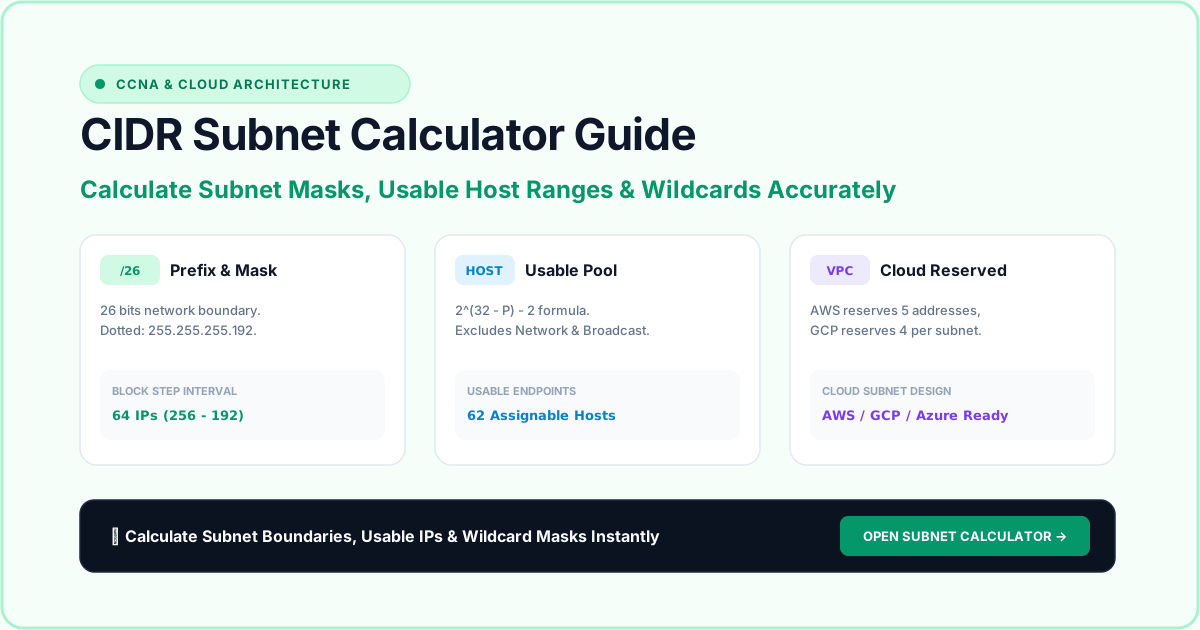
CIDR Subnet Calculator Guide: How to Calculate Usable IP Ranges
Subnetting is one of the most critical foundational skills in computer networking, cybersecurity, and cloud architecture. Whether you are preparing for a Cisco CCNA certification, configuring a Virtual Private Cloud (VPC) on AWS or GCP, or designing network segmentation for an enterprise, understanding how IP addresses and subnet masks interact is essential.
In this comprehensive CIDR subnet calculator guide, we break down the mathematics of IPv4 subnetting, explain CIDR prefix notation, walk through step-by-step calculation examples, and demonstrate how to derive usable host ranges, broadcast boundaries, and wildcard masks.
🛠️ Interactive Tool: Want to calculate subnets instantly? Use our free CIDR Subnet Calculator Tool to compute network IDs, usable host ranges, broadcast addresses, and Cisco wildcard masks in real time.
1. The Anatomy of an IPv4 Address
An IPv4 address is a 32-bit binary number represented in dotted-decimal notation as four 8-bit octets separated by periods:
$$\text{192.168.1.1} \longrightarrow \underbrace{11000000}{\text{Octet 1}}.\underbrace{10101000}{\text{Octet 2}}.\underbrace{00000001}{\text{Octet 3}}.\underbrace{00000001}{\text{Octet 4}}$$
Each octet has a maximum decimal value of $255$ ($2^8 - 1$). The 32 bits are divided into two fundamental sections:
- The Network Portion: Identifies the specific subnetwork or broadcast domain.
- The Host Portion: Uniquely identifies a specific device (computer, server, printer, phone) within that subnetwork.
The Subnet Mask is the mechanism routers use to differentiate between the network portion and the host portion.
2. Understanding CIDR Notation (Classless Inter-Domain Routing)
In early networking, IP addresses were rigidly categorized into classes:
- Class A:
/8(255.0.0.0) — 16,777,214 hosts per network - Class B:
/16(255.255.0.0) — 65,534 hosts per network - Class C:
/24(255.255.255.0) — 254 hosts per network
This system wasted millions of IP addresses. In 1993, Classless Inter-Domain Routing (CIDR) was introduced (RFC 1519), allowing the subnet boundary to fall on any bit position between /0 and /32.
The number following the slash represents the exact number of contiguous binary 1s in the subnet mask:
/24= 24 ones =11111111.11111111.11111111.00000000=255.255.255.0/26= 26 ones =11111111.11111111.11111111.11000000=255.255.255.192/30= 30 ones =11111111.11111111.11111111.11111100=255.255.255.252
3. The Core Subnetting Formulas
When calculating subnets, remember two fundamental formulas:
Formula 1: Total IP Addresses
$$\text{Total Addresses} = 2^{(32 - \text{Prefix Length})}$$
For example, on a /26 network:
$$\text{Total} = 2^{(32 - 26)} = 2^6 = 64 \text{ addresses}$$
Formula 2: Usable Host Addresses
$$\text{Usable Hosts} = 2^{(32 - \text{Prefix Length})} - 2$$
Why subtract 2?
- Network Address (First IP): Represents the wire/subnet identity itself and cannot be assigned to an interface.
- Directed Broadcast Address (Last IP): Used to send packets to all hosts on the subnet simultaneously.
Exceptions: Under RFC 3021, point-to-point links using
/31allocate 2 usable hosts with no broadcast address. Host routes (/32) allocate a single exact host.
4. Step-by-Step Calculation Example: 192.168.10.130/26
Let’s calculate the network ID, broadcast address, and usable range for 192.168.10.130/26.
Step 1: Find the Block Size (Magic Number)
A /26 prefix has $26$ network bits. The last octet contains $2$ network bits ($26 - 24 = 2$ bits):
$$\text{Subnet Mask} = 255.255.255.192$$
To find the block size (increment), subtract the interesting octet from 256: $$\text{Block Size} = 256 - 192 = 64$$
Step 2: Determine Subnet Boundaries
Count up in increments of 64 in the fourth octet:
- Subnet 1:
192.168.10.0 - Subnet 2:
192.168.10.64 - Subnet 3:
192.168.10.128 - Subnet 4:
192.168.10.192
Our target IP is 192.168.10.130. Since 130 falls between 128 and 191:
- Network ID:
192.168.10.128 - Broadcast Address:
192.168.10.191(one less than the next subnet192.168.10.192) - First Usable Host:
192.168.10.129 - Last Usable Host:
192.168.10.190 - Usable Host Capacity: $64 - 2 = 62$ devices.
You can verify these values instantly in our Subnet Calculator.
5. What Is a Wildcard Mask and Why Does It Matter?
If you work with Cisco IOS, Juniper Junos, or Linux iptables firewalls, you will frequently encounter Wildcard Masks in Access Control Lists (ACLs) and OSPF/EIGRP configuration:
$$\text{Wildcard Mask} = 255.255.255.255 - \text{Subnet Mask}$$
For a /24 network (255.255.255.0):
$$\begin{array}{rrrrr}
& 255 & 255 & 255 & 255 \
- & 255 & 255 & 255 & 0 \ \hline & 0 & 0 & 0 & 255 \end{array}$$
In a wildcard mask:
0means must match this exact bit.1(or 255 in decimal) means ignore this bit (wildcard).
In Cisco ACL syntax:
access-list 10 permit 192.168.1.0 0.0.0.255This rule permits any packet where the first three octets match 192.168.1, ignoring whatever host value is in the final octet.
6. Private IP Ranges vs. Public Routable Addresses
When subnetting internal networks, always adhere to RFC 1918 private address spaces:
| Private Address Block | CIDR Prefix | Total Addresses | Typical Use Case |
|---|---|---|---|
10.0.0.0 – 10.255.255.255 |
/8 |
16,777,216 | Large enterprise networks, AWS VPCs, corporate VPNs |
172.16.0.0 – 172.31.255.255 |
/12 |
1,048,576 | Medium enterprise, internal DMZs, Docker subnets |
192.168.0.0 – 192.168.255.255 |
/16 |
65,536 | SOHO routers, small offices, home labs |
To check whether your current connection is using a private or public IP, check your gateway on our Public IP Address Checker or run an IP Lookup to inspect carrier ASN routing.
7. Quick CIDR Subnetting Cheatsheet
| CIDR | Subnet Mask | Block Size | Usable Hosts | Wildcard Mask |
|---|---|---|---|---|
/24 |
255.255.255.0 |
256 | 254 | 0.0.0.255 |
/25 |
255.255.255.128 |
128 | 126 | 0.0.0.127 |
/26 |
255.255.255.192 |
64 | 62 | 0.0.0.63 |
/27 |
255.255.255.224 |
32 | 30 | 0.0.0.31 |
/28 |
255.255.255.240 |
16 | 14 | 0.0.0.15 |
/29 |
255.255.255.248 |
8 | 6 | 0.0.0.7 |
/30 |
255.255.255.252 |
4 | 2 | 0.0.0.3 |
/31 |
255.255.255.254 |
2 | 2 (RFC 3021) | 0.0.0.1 |
/32 |
255.255.255.255 |
1 | 1 (Host Route) | 0.0.0.0 |
Frequently Asked Questions (FAQ)
How do you calculate the number of usable hosts in a CIDR subnet?
Use the formula 2^(32 - prefix) - 2. Subtract 2 because the very first IP is the Network ID and the last IP is the Broadcast Address. For example, a /24 has 32 - 24 = 8 host bits, yielding 2^8 - 2 = 254 usable hosts.
What is the difference between a subnet mask and a CIDR notation?
A subnet mask is written in dotted-decimal format (such as 255.255.255.0), whereas CIDR notation represents the count of network bits with a slash (such as /24). Both define identical network boundaries.
What is a Cisco wildcard mask and how is it calculated?
A wildcard mask specifies which parts of an IP address must match in Access Control Lists (ACLs). It is the inverted binary inverse of the subnet mask: 255.255.255.255 minus your subnet mask (e.g., 255.255.255.255 - 255.255.255.0 = 0.0.0.255).
Why is a /31 subnet used for point-to-point links?
RFC 3021 permits /31 subnets (with only 2 IP addresses) on point-to-point router links by eliminating the dedicated network and broadcast addresses, conserving scarce IPv4 space.
Conclusion & Practical Next Steps
Subnetting is not just about memorizing math; it is about allocating your IP resources efficiently without creating routing bottlenecks or security blind spots.
- Use our Subnet & CIDR Calculator Tool to experiment with different prefix lengths and visualize 32-bit masks.
- If you suspect your ISP is assigning shared carrier-grade IP addresses to your WAN router, read our troubleshooting guide on How to Check if You Are Behind CGNAT.
- To verify that your internal network addresses are not leaking through your browser, run our live WebRTC Leak Test.